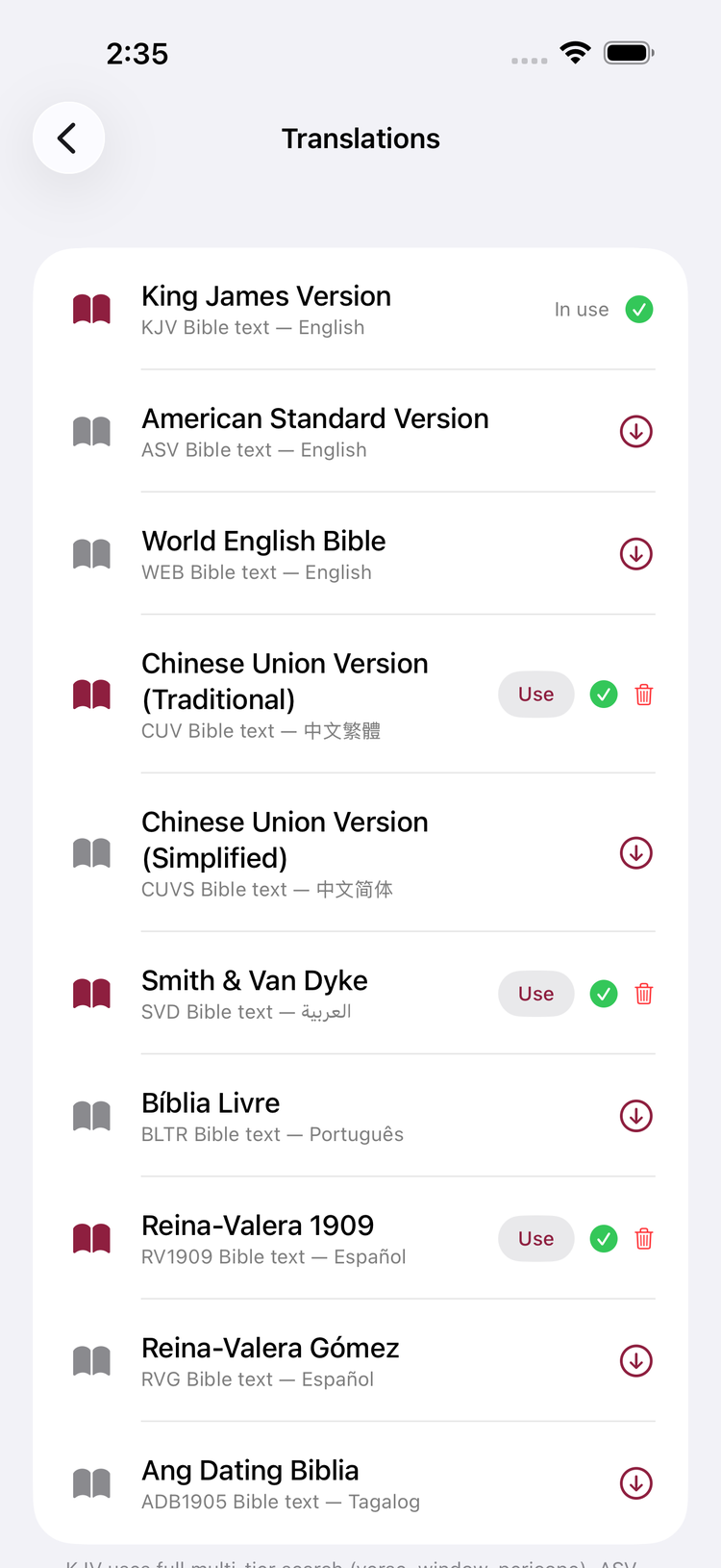
Nine translations across six languages, all free, and how to switch between them.
Nine translations are available, all free, all optional downloads except the KJV, which is built in.
Open Downloads from Home, pick a translation, and tap to download. Each shows its size first. Once installed it is available offline permanently.
Change the active translation in Settings → Translation, or from the translation button in the reader's toolbar. You can also swipe sideways in the reader to move between installed translations.
By default swiping stays within the language you are reading — Settings → Swipe within language. Turn it off and swiping moves across every installed translation regardless of language.
KJV uses the full multi-tier search — individual verses, surrounding windows and whole passages — so its meaning-based results are the most precise. ASV and WEB search verse by verse only. The others support reference lookup and exact-phrase search. This is noted in Settings too, under the translation list.
The narrated audio exists for KJV, Reina-Valera 1909 and Bíblia Livre. You can read in one translation while listening to another — see Listening to the audio Bible.
All the Bible texts are public domain except Bíblia Livre, which is CC-BY 3.0. Details are on the privacy and licensing page.