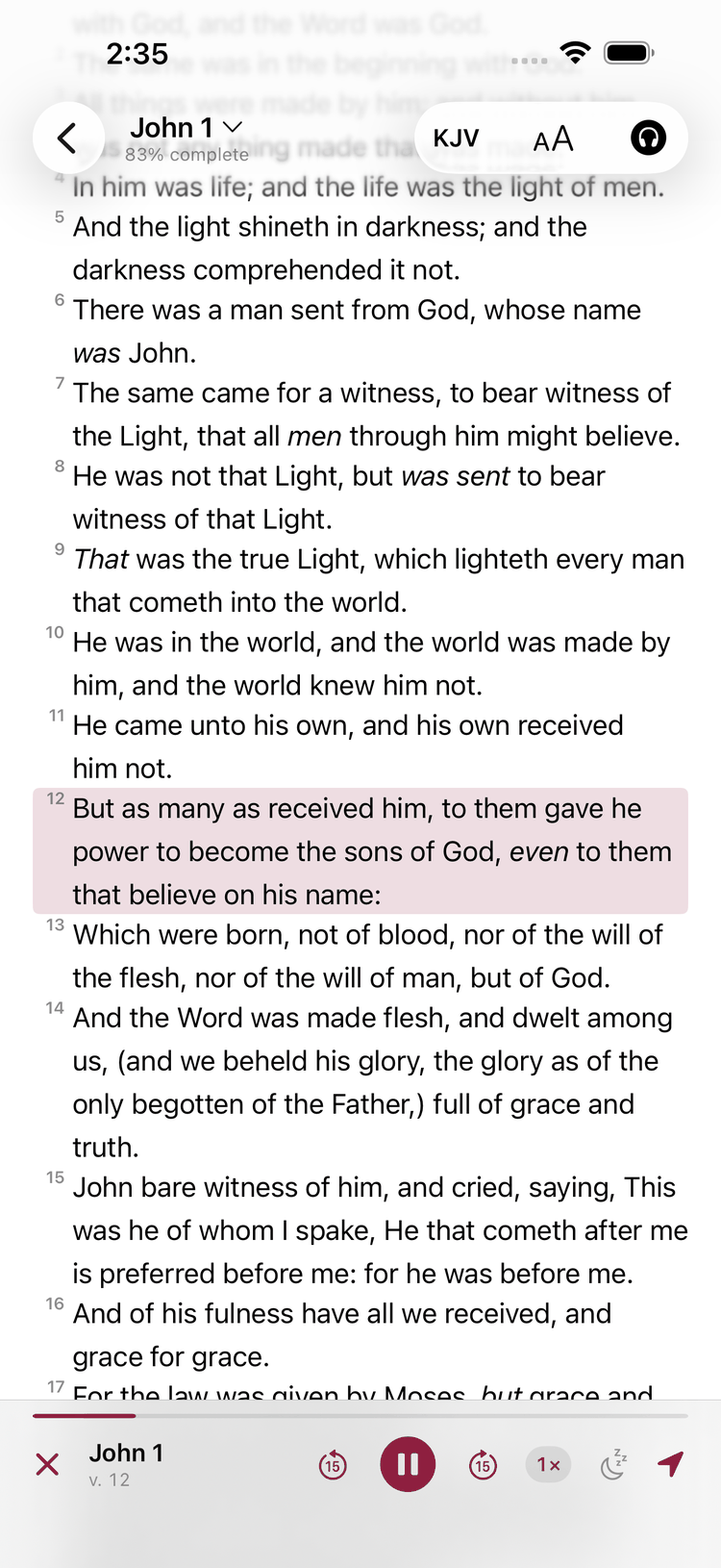
79 hours of narration, free, with every verse highlighted as it is read. How to download it, follow along, and set the sleep timer.
The whole Bible is read aloud in Crimson Bible — 79 hours of it, free — and the verse being spoken is highlighted as you follow along. It is the feature people most often miss, so this page starts with how to get it.
The narration is a synthetic voice, not a human reading. It is clear and consistent, but it is text-to-speech and we would rather say so than let you discover it.
Each option shows its size and length before you commit. These are large files, so Wi-Fi is a better idea than cellular.
Three, each read from its own text rather than dubbed over another translation. The lengths differ because the translations themselves do:
If you switch to a translation without narration, the app will tell you rather than silently offering nothing.
Open any chapter and tap Listen. The verse being read is highlighted and the page scrolls to keep up, so you can follow along by eye while you listen.
From the playback bar, open Sleep timer and choose:
End of chapter is the one most people want at night: it finishes the thought rather than cutting off mid-sentence.
You can read in one translation and listen in another — for example, read the Chinese Union Version while the KJV is being read aloud. Set the reading translation as usual; the narration follows whichever translation you downloaded audio for.
In Settings → Audio Bible, Remove downloaded audio deletes the narration for that translation. Your bookmarks, notes and highlights are untouched, and you can download it again later.