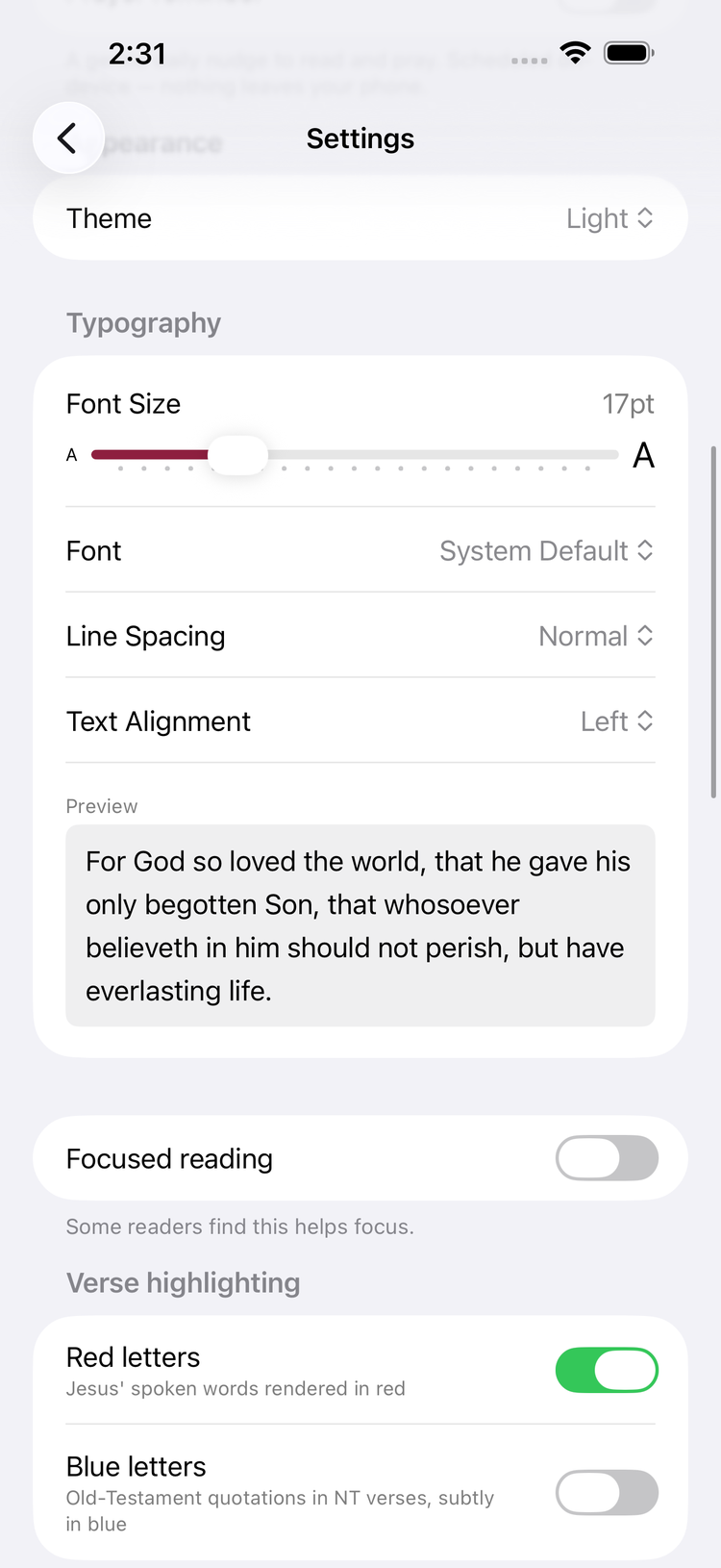
Font size, three reading fonts chosen for legibility, themes, red letters and Focused Reading.
Reading settings live in Settings, and the display options are also reachable from the reader itself without leaving the chapter.
Adjustable in points. The setting applies everywhere the Bible text is shown.
Besides the system font, three faces are included specifically because they are easier to read:
All three are bundled, so choosing one needs no download. They are used under the SIL Open Font License 1.1; the licence texts ship inside the app.
Light, dark and Sepia. The app also follows your system's light/dark setting if you would rather not choose.
Red letters renders Jesus' spoken words in red. On by default; turn it off in Settings.
Old Testament quotations appearing in the New Testament are also marked, so you can see where a New Testament writer is quoting Scripture.
Focused Reading strips the reading screen back for sustained reading rather than study. Turn it on in Settings.
Chapters flow into one another, so reading past a chapter boundary does not need a tap. The app remembers your position and Resume Reading on Home returns to the exact verse.
The reading screen, search results and settings are labelled for VoiceOver throughout. This is separate from the narrated audio Bible, which is a recording of the text rather than a screen reader — see Listening to the audio Bible.